WOWSMM Blog

Insights, Guides & Updates

Everything about SMM panels, social media growth & marketing tips — practical guides, honest comparisons and the latest WowSMM feature updates.

Drip Feed on an SMM Panel: How to Spread an Order Over Days

Drip Feed on an SMM Panel: How to Spread an Order Over Days

Choose language / भाषा चुनें

Drip feed · 2026

One order, delivered in smaller parts. Drip feed splits a service into several runs with a fixed gap between them, so your numbers grow in steps over hours or days instead of in one jump.

If you have ever placed an order and watched the full quantity land in one go, you already know why the drip feed option exists. A drip feed SMM panel order takes one service and repeats it in smaller deliveries spread across hours or days, so the count on your post or profile rises gradually instead of all at once.

This guide explains how drip feed works on WowSMM, what each field means, how to do the maths before you pay, and, just as important, when you should not use it. Every number below is a hypothetical example to show the calculation. It is not a recommendation for any specific account or service.

Drip Feed Meaning in Plain Words

The simple drip feed meaning: instead of sending a large quantity in a single delivery, the panel sends a smaller quantity several times. Each repeat is called a run. Between two runs the panel waits a set number of minutes, called the interval. When the last run is delivered, the order is finished.

Think of filling a bucket from a tap left half open rather than tipping a full bucket in at once. The total amount of water is the same. Only the timing changes.

  • It is still one order with one order ID in your Orders page.
  • Each run is processed like a normal delivery of that service, so the service's own start time, speed and refill rules still apply.
  • You pay for the total quantity of all runs together when you place the order.
Quantity per runHow much is delivered each time
RunsHow many times the delivery repeats
IntervalMinutes to wait between two runs
TotalQuantity per run multiplied by runs

The Three Fields: Runs and Interval Explained

On services that support it, turning on drip feed adds two extra fields to the order form. Understanding the runs and interval fields, plus how the quantity box changes meaning, is all you need.

  1. Quantity. With drip feed on, the quantity box is the amount for a single run, not the full order. It must still sit inside the minimum and maximum shown for that service.
  2. Runs. The number of times the panel repeats the delivery. Two runs means two deliveries, ten runs means ten.
  3. Interval. The waiting time between runs, entered in minutes. 60 means hourly, 720 means twice a day and 1440 means once a day.

Before you submit, the form shows the total quantity and the charge. The total is quantity per run multiplied by runs. The charge is that total divided by 1000, multiplied by the service rate. If either figure looks wrong, fix the fields before you confirm.

Tip: Convert your plan into minutes before typing it. One hour is 60, six hours is 360, twelve hours is 720 and one day is 1440. A wrong interval is the most common drip-feed mistake, and it is easy to avoid.

Worked Examples with Hypothetical Numbers

The table shows how different settings change the total and the time an order takes. The figures are made up for illustration only.

GoalQuantity per runRunsInterval (min)TotalApproximate spread
Reel views across one day50062403,000About 20 hours plus delivery time
Post likes across a week10071440700About 6 days plus delivery time
Telegram post views over a launch weekend1,00047204,000About 36 hours plus delivery time
Video views across five days400107204,000About 4.5 days plus delivery time

The spread is (runs minus 1) multiplied by the interval, because the first run starts straight away. Each run also needs its own start time and delivery speed, so the final run usually completes a little after the calculated time.

Cost on a drip feed SMM panel order works the same way as a normal order. With a hypothetical rate of ₹40 per 1000, a total of 3,000 costs ₹120 whether it arrives at once or in six runs. Drip feed changes timing, not the price per 1000. The charge shown on the order form is the figure that counts.

When a Drip Feed SMM Panel Order Makes Sense

Drip feed is useful when timing matters more than speed. Common situations:

  • Supporting new content over its first days. For example, spreading views on a new Reel through the Instagram views service across a day instead of the first ten minutes.
  • Keeping the curve smooth. On a profile where a sudden jump would look out of place next to the usual numbers, gradual delivery keeps growth in line with normal activity.
  • Launches and announcements. A channel announcement backed by Telegram post views can be spread across the launch window rather than front-loaded.
  • Reseller clients. Some clients ask for a fixed amount each day. One drip-feed order is easier to track than seven separate orders.
  • Testing before spending more. You can watch how the first runs look and adjust your next order.

When Not to Use Drip Feed

  • Very small orders. If splitting the quantity pushes each run below the service minimum, a single normal order is the better choice.
  • Services that are already slow. If a listing already states a limited speed per day, adding long intervals on top only stretches the wait without any clear benefit.
  • Time-critical orders. Viewers on a live stream need to arrive while you are live. Use a normal order on YouTube live stream views instead.
  • Links that may change. If the post may be deleted, archived or set to private, or the username may change before the last run, later runs cannot deliver.

Choosing a Natural Growth Pace

No setting makes numbers look natural on its own. A natural growth pace is one that fits the rest of the account: how often you post, how many comments and saves you get, and how your earlier posts performed. A few practical rules:

  • Start from your normal numbers. If a post usually gets a certain amount of views in a day, a delivery many times larger in one hour stands out more than the same amount spread across the day.
  • Prefer more runs with smaller quantities over a few large runs.
  • Match the interval to the platform. A few hours suits short video views. A day suits slower services such as followers or members.
  • Keep posting. Promotion on an inactive account does not build anything lasting.

Be realistic: spreading an order does not guarantee reach, recommendations or monetization. Platforms decide distribution based on how actual viewers respond to your content. Drip feed controls timing only, so good content still does the heavy lifting.

How to Place a Drip-Feed Order on WowSMM

  1. Log in and add funds to your wallet. UPI through BharatPe and Paytm starts from ₹5, and Binance Pay and crypto are also available.
  2. Pick the category and service. Read the description for start time, speed, refill and min/max limits. The full list is on the WowSMM services page.
  3. Paste the public link of the post or profile. No password is needed, but keep the account public until the order completes.
  4. Turn on drip feed if the service offers it, then enter quantity per run, runs and interval.
  5. Check the total quantity and charge, then submit.
  6. Track the order in Orders, where the status updates live. Any undelivered quantity is refunded to your WowSMM wallet.

Resellers placing orders in bulk for clients can check the reseller API page and the documentation for the parameters supported by the add action.

Do this

  • Convert hours to minutes before typing the interval
  • Keep quantity per run within the service limits
  • Keep the account and post public until the last run
  • Check the total and charge before submitting
  • Save the order ID in case you need support

Avoid this

  • Typing the full total into the quantity box
  • Changing the username or deleting the post mid-order
  • Placing a second order on the same link while runs are active
  • Using drip feed for live-stream viewers
  • Expecting timing alone to bring reach

If a Run Looks Stuck

First check whether the interval has actually passed since the previous run, and remember each run has its own start time. Then confirm the link still opens publicly. If both look fine and nothing moves, open a ticket with the order ID. Support is available 24/7 through tickets, WhatsApp and Telegram, with an AI assistant and human agents.

Frequently Asked Questions

What does drip feed mean on an SMM panel?

Drip feed means one order is delivered in several smaller runs with a fixed waiting time between them, instead of the full quantity arriving in a single delivery.

Is the quantity box the total or the amount per run?

With drip feed turned on, the quantity box is the amount for one run. The total is quantity per run multiplied by the number of runs, and the form shows it before you submit.

Does drip feed cost more than a normal order?

The rate per 1000 stays the same. You pay for the total quantity of all runs, and the exact charge is shown on the order form before you confirm.

What interval should I choose?

There is no single correct value. A few hours often suits short video views, while a day suits slower services such as followers. Enter the interval in minutes, for example 1440 for one day.

What happens if my post is deleted before all runs finish?

Later runs cannot deliver to a missing or private link. The order may end as Partial or Canceled, and any undelivered quantity is refunded to your WowSMM wallet.

Plan your next order in runs

Pick a service that supports drip feed and set the pace that fits your account.

Browse servicesCreate free account

Ready to start? See our Facebook SMM panel for services, delivery details and FAQs.
Read More Drip Feed on an SMM Panel: How to Spread an Order Over Days

SMM Panel Order Status Explained: Pending, In Progress, Partial and Canceled

SMM Panel Order Status Explained: Pending, In Progress, Partial and Canceled

Choose language / भाषा चुनें

Order basics · 2026

Every status tells you where your money is. Pending and In progress mean the order is moving, Completed means it finished, and Partial or Canceled means the unused amount goes back to your WowSMM wallet.

If you place orders regularly, understanding each smm panel order status saves you from opening tickets you do not need and helps you spot the few orders that actually need attention. On WowSMM every order appears on the Orders page with a live status, a start count and a remaining quantity, so you can see what is happening without guessing.

This guide walks through each status in plain language: what it means, what normally happens next, what it means for your wallet balance, and when you should contact support. It is written for creators placing their first order, small businesses running a promotion, and resellers who handle hundreds of orders a day.

How SMM Panel Order Status Works

When you submit an order from the full WowSMM services list, the panel sends it to the delivery system for that service. The status you see updates as the order moves forward. A typical order goes from Pending to In progress to Completed. Some orders end as Partial or Canceled instead, and both of those outcomes return the undelivered part to your wallet.

Three fields matter alongside the status:

  • Start count: the number on the link when delivery began. It confirms the order is counting from the right place.
  • Remains: how much of the ordered quantity has not been delivered yet.
  • Charge: what the order cost. If an order ends Partial, the refund is worked out from the remains.
PendingAccepted and queued, not started yet
In progressDelivery is running on your link
CompletedThe full quantity has been sent
Partial or CanceledUndelivered part refunded to wallet

Pending: Your Order Is in the Queue

Pending means the order has been accepted but delivery has not started. Most orders pass through this stage quickly, but an smm order pending for longer than usual is not automatically a problem. Some services start in batches, some have a queue during busy hours, and some wait for an earlier order on the same link to finish.

Before you worry, check these points:

  • The link is public. A private profile, hidden post or restricted channel can stop the service from starting.
  • The link matches the service. A profile link on a post likes service, or a post link on a followers service, will not work.
  • You have not placed two orders for the same link on similar services at the same time. Overlapping orders make counting unreliable, and the second one may be held or canceled.
  • You have read the start time in the service description. Start times differ from one service to another.

If an order stays Pending well beyond the start time listed in the description, open a ticket with the order ID. You never need to share a password or login. WowSMM orders only need a public link.

In Progress: Delivery Has Started

The order in progress SMM panel label means delivery is actively running. The start count has been recorded and the quantity is being sent. Speed depends on the service: some deliver in a steady stream, some in bursts, and drip feed orders spread delivery across the runs and gaps you choose.

While an order is In progress, leave the link alone. Do not switch the profile to private, rename the username, delete the post or archive it. Any of these can break delivery, and the order may end Partial or Canceled. If you need quick starts for time-sensitive campaigns, compare options on the fast-start SMM services page before ordering, not after.

Tip: For a product launch or event, place the order a little earlier than you need it. A small time buffer means a slow start never affects your plans.

Completed: What It Does and Does Not Mean

Completed means the system finished sending the ordered quantity. It does not mean the count on the platform will stay the same forever. Social platforms regularly remove accounts and engagement they flag, so some services see drops over time. That is why eligible services include a refill period and a refill button, which you can use after completion if the count falls during that period.

If the platform shows fewer than you expected right after completion, compare the current count with the start count plus your ordered quantity. Counters on some apps update slowly or are rounded, so check again after a while before raising a ticket.

Partial: The Partial Order Meaning for Your Balance

The partial order meaning is simple: part of the order was delivered and the rest could not be. The panel stops the order and refunds the undelivered quantity to your WowSMM wallet automatically. You pay only for what was sent.

Common reasons an order ends Partial:

  • The link became private or unavailable during delivery.
  • The service reached its limit for that link.
  • The source for that service ran short before finishing the quantity.
  • The post or account was removed or restricted by the platform.

The refund goes to your wallet balance, not back to UPI or crypto, and you can reuse it right away. If you still need the rest of the quantity, place a new order after fixing whatever caused the stop, or try a different service for the same link.

Canceled: How a Canceled Order Refund Works

Canceled means the order did not go ahead, usually before delivery started. In that case the full charge returns to your wallet. If some quantity was delivered before the stop, you will normally see Partial instead, with only the remaining amount refunded.

Typical causes include a wrong link, a private account, a duplicate order on the same link, or a service that cannot process that type of link. A canceled order refund lands in your WowSMM wallet balance and can be spent on any service.

StatusWhat it meansYour balanceWhat to do
PendingAccepted, waiting to startCharged, nothing delivered yetCheck the link is public and wait for the start time
In progressDelivery runningChargedKeep the link public and unchanged
CompletedFull quantity sentCharged for the full orderUse refill if eligible and the count drops
PartialSome delivered, rest stoppedUndelivered part refunded to walletFix the cause and reorder the rest if needed
CanceledOrder did not go aheadRefunded to walletCorrect the link or choose another service

How to Check and Troubleshoot an Order

  1. Open Orders and find the order by its ID or link.
  2. Compare the start count, quantity and remains.
  3. Open the link in a logged-out browser to confirm it is public.
  4. Read the service description again for start time, speed and refill notes.
  5. If something still looks wrong, open a ticket with the order ID and a short description.

Support runs 24/7 through tickets, WhatsApp and Telegram, with an AI assistant for quick answers and human agents for order issues. Sending the order ID in your first message speeds up every reply.

Do this

  • Keep links public until the order ends
  • Run one order per link per service at a time
  • Read the service description before ordering
  • Share the order ID when you contact support

Avoid this

  • Changing usernames or deleting posts mid-delivery
  • Ordering the same link on two similar services together
  • Sending your password to anyone
  • Treating a status as a promise of reach or algorithm results

Tracking SMM Panel Order Status at Scale

Resellers do not need to check every order by hand. The WowSMM reseller API has a status action that returns the current status, start count and remains for an order, along with refill and cancel actions where a service supports them. Request examples are on the API documentation page, and open-source PHP, Python and Node clients are published on GitHub.

If you sell to your own customers, the same statuses pass through to your system, so your clients see Pending, Partial and the rest just as you do. Read about running a WowSMM reseller panel if you are setting that up. Whatever you build, remember that Completed means delivery finished, not that the platform will reward the account. Good content still decides how far a post goes.

Frequently Asked Questions

How long can an order stay Pending?

It depends on the service. Each service description lists a typical start time. If an order stays Pending well beyond that time and the link is public, open a ticket with the order ID.

What does Partial mean on an SMM panel?

Partial means part of the quantity was delivered and the rest could not be. The undelivered part is refunded to your WowSMM wallet automatically, so you only pay for what was sent.

Where does a canceled order refund go?

Refunds for canceled and partial orders go to your WowSMM wallet balance, not back to UPI or crypto. You can use that balance for any other order straight away.

Can I change the link after placing an order?

No. Changing, hiding or deleting the link during delivery can stop the order. If the link was wrong, let the order finish or end, then place a new order with the correct link.

Does a Completed order mean the count will never drop?

No. Platforms remove some accounts and engagement over time. Eligible services have a refill period and a refill button you can use if the count drops during that period.

Track every order in one place

Place orders, watch live status and get automatic wallet refunds on WowSMM.

Browse servicesCreate free account

Read More SMM Panel Order Status Explained: Pending, In Progress, Partial and Canceled

TikTok SMM Panel

TikTok SMM Panel

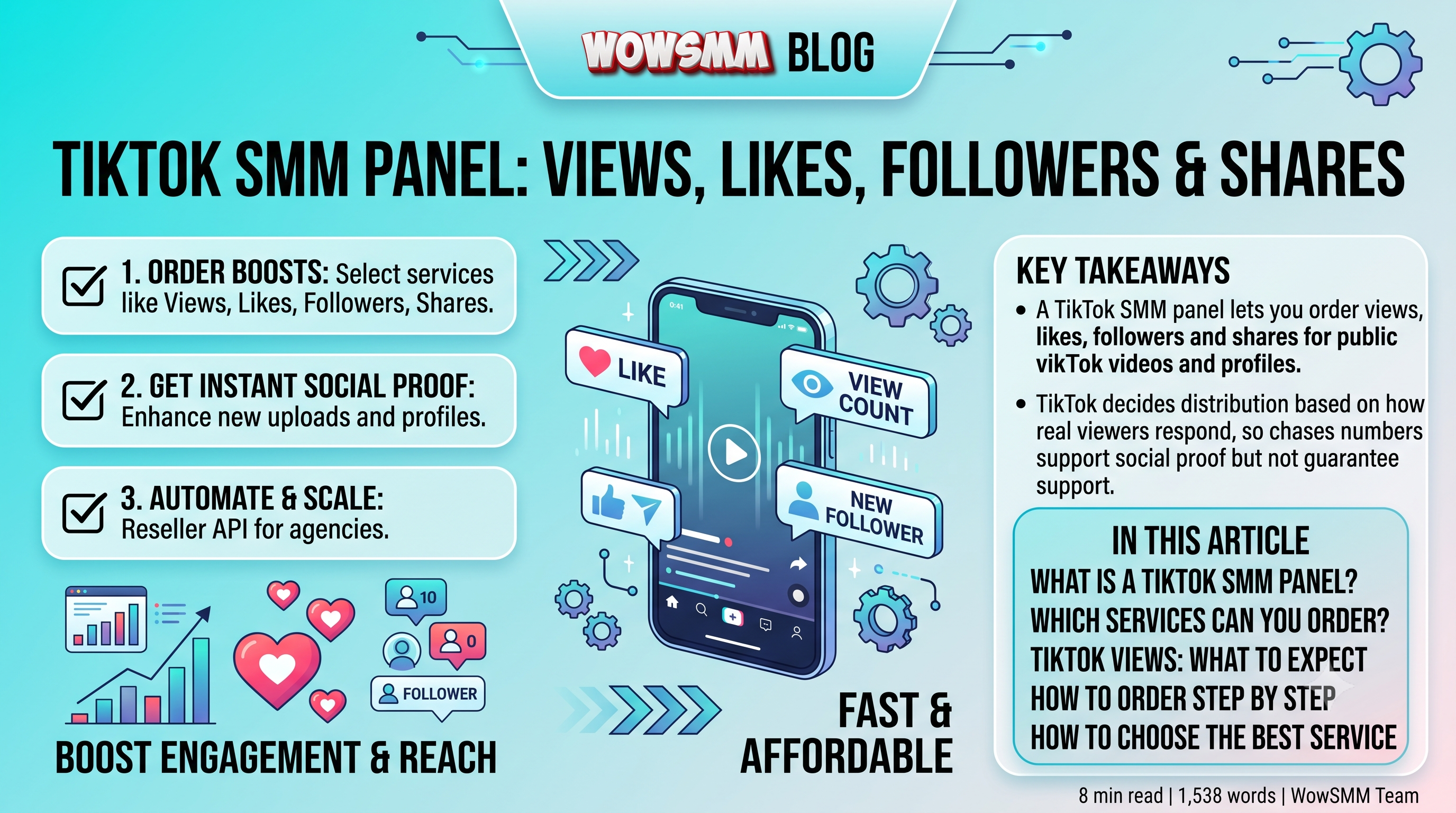
TikTok SMM Panel: Views, Likes, Followers & Shares

Key Takeaways
  • A TikTok SMM panel lets you order views, likes, followers and shares for public TikTok videos and profiles.
  • TikTok decides distribution based on how real viewers respond, so purchased numbers support social proof but do not guarantee reach.
  • Start time, speed, quality and refill terms differ between services, so read each description before ordering.
  • Use public links only and never share your TikTok password.
  • Agencies and resellers can order manually or automate orders with an SMM panel API.
Read More TikTok SMM Panel

Instagram SMM Panel

Instagram SMM Panel

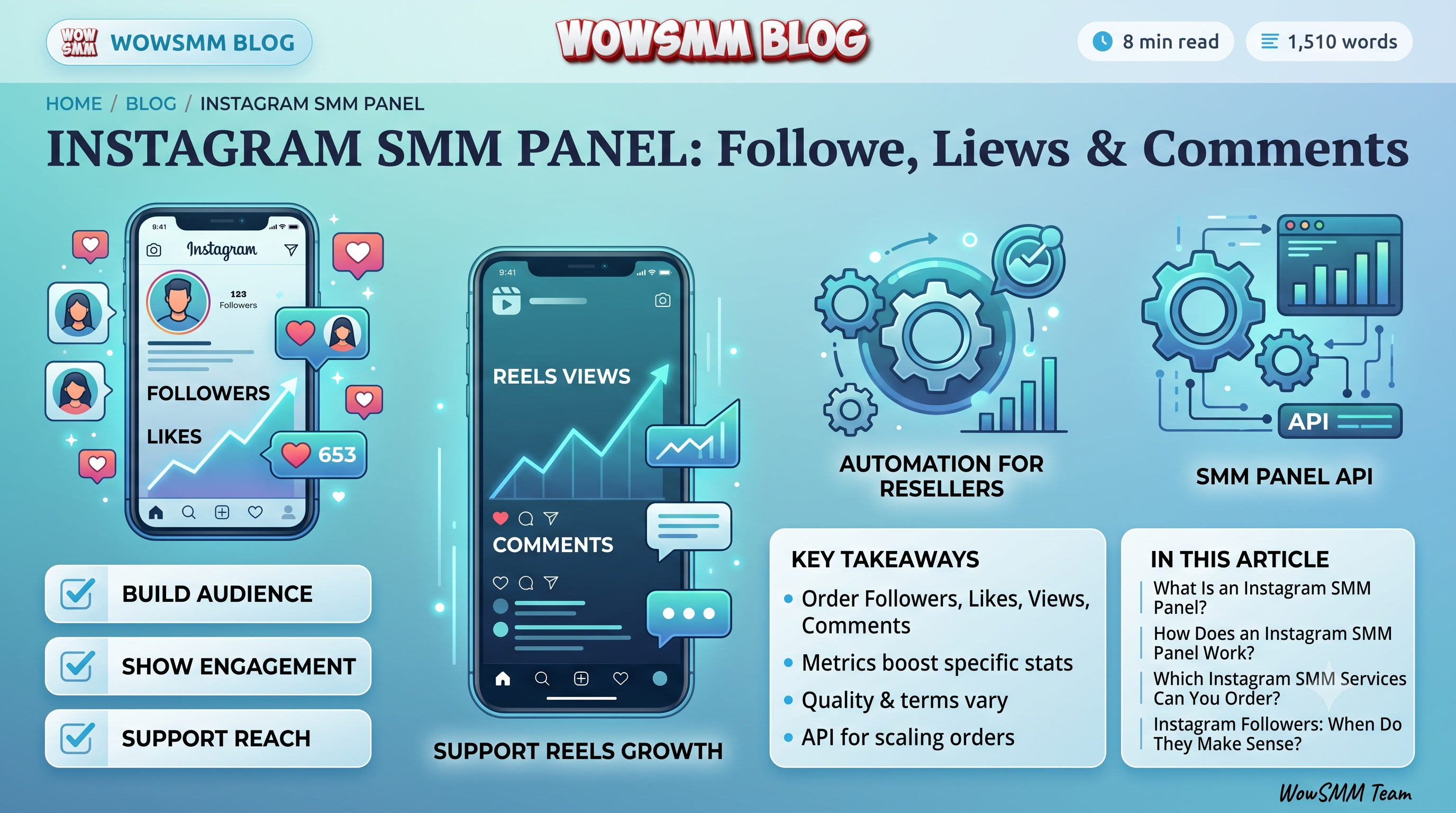
Instagram SMM Panel: Followers, Likes, Reels Views & Comments

Key Takeaways
  • An Instagram SMM panel lets you order followers, likes, reels views and comments for public Instagram accounts and posts.
  • Each metric does a different job: followers build audience size, likes and comments show engagement, and reels views support reach.
  • Service quality, speed, start time and refill terms differ from one service to another, so read each description before ordering.
  • Instagram has its own rules and no panel can promise account safety or permanent results.
  • Agencies and resellers can order manually or automate orders with an SMM panel API.
Read More Instagram SMM Panel

SMM Panel Brazil: Cheap & Reliable Social Media Services

SMM Panel Brazil: Cheap & Reliable Social Media Services

SMM Panel Brazil: Cheap & Reliable Social Media Services

Key Takeaways
  • An SMM panel Brazil customers can use provides social media services through one centralized dashboard.
  • Instagram, TikTok, YouTube and Telegram services can be managed from an SMM panel depending on current availability.
  • Compare price, start time, delivery speed, minimum quantity, maximum quantity and refill policy before ordering.
  • Brazilian creators, businesses, agencies and resellers can use SMM panels for different social media requirements.
  • API integration can help resellers automate orders and manage larger customer volumes.
Read More SMM Panel Brazil: Cheap & Reliable Social Media Services

SMM Panel Indonesia: Cheap & Reliable Social Media Services

SMM Panel Indonesia: Cheap & Reliable Social Media Services

SMM Panel Indonesia: Cheap & Reliable Social Media Services

Key Takeaways
  • An SMM panel Indonesia customers can use provides social media services through one centralized dashboard.
  • Instagram, TikTok, YouTube and Telegram services can be managed from an SMM panel depending on current availability.
  • Price should be compared together with delivery speed, start time, refill policy and order limits.
  • Agencies and resellers can use SMM panels to manage multiple customer orders.
  • API integration can help automate social media service orders for larger reseller businesses.
Read More SMM Panel Indonesia: Cheap & Reliable Social Media Services
🔍No articles found. Try a different keyword.

Ready to grow your social media?

Fast, affordable services with refill support — start with any budget.

Explore more

Browse WowSMM Guides

Find guides, services and country pages in one place.

DMCA.com Protection Status